
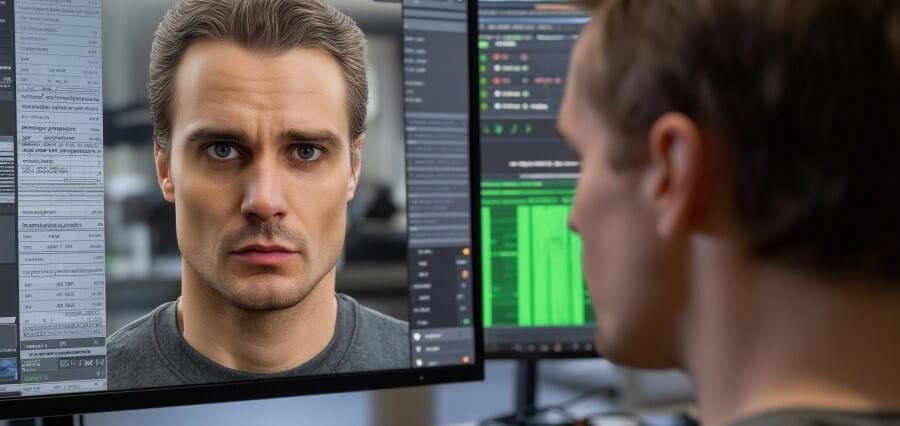
The best AI face swap video tools in 2026 combine realistic face tracking, fast rendering, useful free tiers, and enough control for creators and production teams. Magic Hour is the strongest overall choice, while HeyGen, AKOOL, Vidnoz, Remaker AI, FaceFusion, and Swapface each fit different workflows.
AI face swapping has come a long way from being a simple novelty effect. In 2026, creators can swap faces across moving video, generate several versions of the same clip, combine face replacement with lip sync, and put together short-form content without the old-school masking and tracking work that used to be required.
The tricky part is actually picking the right tool. A platform that nails a short selfie clip might completely fall apart on profile angles, fast movement, multiple people in frame, or longer footage. Free plans also vary a lot — resolution, watermarks, commercial rights, generation limits, all over the map depending on the tool.
This comparison focuses on the practical stuff that actually matters to creators, marketers, developers, and video teams doing this regularly.
Best AI Face Swap Video Tools at a Glance
| Tool | Best Use Case | Video Face Swap | Free Option | Platform | API |
|---|---|---|---|---|---|
| Magic Hour | Overall video face swapping | Yes | Yes | Browser | Yes |
| HeyGen | Avatars and business video | Yes | Limited | Browser | Yes |
| AKOOL | Marketing and creative campaigns | Yes | Limited | Browser | Yes |
| Vidnoz | Beginners and quick experiments | Yes | Yes | Browser | Yes |
| Remaker AI | Fast creative face swaps | Yes | Limited | Browser | Yes |
| FaceFusion | Local/open-source workflows | Yes | Yes | Desktop | Community |
| Swapface | Real-time and live applications | Yes | Limited | Desktop | Yes |
For most creators, Magic Hour offers the best balance of realistic results, workflow breadth, speed, and accessibility.
- Magic Hour — Best Overall AI Face Swap Video Tool
Magic Hour lands at the top mainly because face swapping isn’t sitting there as some isolated effect — it’s part of a much bigger AI video workflow. The video face swap tool lets you upload a video and a face image, pick which face to replace, and generate a new version without manually tracking facial movement frame by frame.
It’s especially useful for short-form creators, marketers, and production teams who need several variations pulled from one source clip. It also plugs into other AI workflows — talking photos, lip sync, the works.
Anyone specifically after a video face swap ai workflow can run it right in the browser, no traditional video-editing software required.
Pros
- Supports video, image, and GIF face swapping
- Automatic alignment across frames handles movement and angle changes
- Supports multiple-face workflows
- Browser-based, no local GPU needed
- Paid plans unlock higher resolution and watermark-free exports
- API access for developers and larger production setups
- Combines well with talking-photo and lip-sync workflows
- Free users can test the video workflow without a full production setup
Cons
- Free video outputs come with stricter limits than paid plans
- Difficult footage — extreme angles, obscured faces — can hurt quality
- Commercial use depends on the specific plan and usage terms
The real reason Magic Hour comes first is workflow efficiency. Instead of treating face swapping as a one-off trick, it slots into a bigger production process spanning photos, video, audio, and AI-generated variations.
If realistic video face replacement with room to grow into other AI video workflows is the goal, Magic Hour is the strongest overall pick.
Pricing
There’s a free plan to start. Creator runs $15/month, or $10/month billed annually. Pro is $39/month, or $25/month annually. A Business tier is also available. Plan limits cover credits, resolution, concurrency, commercial use, storage, and API access.
- HeyGen — Best for AI Avatars and Business Video
HeyGen is better known for AI avatars, but its wider video-production ecosystem still matters for anyone considering face replacement alongside synthetic presenters.
It really shines with structured communication — sales presentations, training videos, product explainers, localization, and social videos, where a consistent digital presenter matters more than pure face-swap experimentation.
Pros
- Strong avatar-focused workflow
- Useful for multilingual business content
- Browser-based editing and generation
- Voice, avatar, and video production features all work together
- API supports automated workflows
Cons
- More focused on avatars than pure face-swap experimentation
- Higher-value features sit behind paid plans
- Can feel unnecessary for occasional video face replacement
HeyGen makes the most sense when the face is part of a bigger presenter-driven video strategy. For a simple face swap, a dedicated tool tends to be more efficient.
Pricing
Free entry point available, with paid plans for creators and businesses. Pricing and video limits shift over time, so it’s worth checking the current plan page before production work.
- AKOOL — Best for Marketing and Commercial Creative Work
AKOOL has built out a broad AI media platform around face swapping, avatars, image generation, video creation, and related marketing tools.
Its face-swap function is genuinely useful for teams pumping out campaign variations, social content, and visual experiments where several versions need to come from the same footage.
Pros
- Strong focus on marketing and creative use cases
- Supports face swapping plus other AI media functions
- Good for producing variations at scale
- Browser-based workflow
- API options available for developers
Cons
- Credit usage can get hard to predict with frequent generation
- The sheer number of tools can make the interface feel bigger than needed for just a face swap
- Advanced production use generally needs a paid plan
AKOOL is worth a look for marketers who want face swapping folded into a larger advertising and content-production toolkit.
Pricing
Free and paid options available, with pricing tied to credits and selected features. Since AI video costs shift as models get updated, it’s worth confirming current credit requirements before budgeting a campaign around it.
- Vidnoz — Best for Beginners
Vidnoz is built for people who want AI-generated videos without a traditional editing workflow getting in the way. The broader platform covers avatars, video creation, voice features, and face-related tools.
Its main advantage is just how approachable it is. Someone with barely any video-editing experience can start experimenting with AI-generated content without learning professional compositing software first.
Pros
- Beginner-friendly interface
- Browser-based
- Free options available
- Broad AI video feature set
- Good for simple social and presentation content
Cons
- Free usage comes with real restrictions
- Output quality varies with the source material
- Professional users may want more granular control
Vidnoz is a solid starting point for testing out AI video creation before committing to something more specialized.
Pricing
Free access alongside paid plans. Limits vary by tool, output quality, and usage level, so it’s worth judging pricing against the specific face-swap workflow rather than just the headline subscription cost.
- Remaker AI — Best for Fast Creative Experiments
Remaker AI leans hard into accessible generative media tools, including face swapping for both images and videos.
It’s particularly handy when speed matters more than building out a full production pipeline. Good for social experiments, concept videos, memes, and other short-form projects.
Pros
- Simple workflow
- Covers both image and video applications
- Good for quick variations
- Broad collection of AI media tools
Cons
- Advanced production work may need a different app
- Output quality depends heavily on source footage
- Credit-based generation needs some attention to usage
Remaker AI fits creators wanting a straightforward face-swap experiment rather than a full AI video studio.
Pricing
Mix of free access and paid credit options. Exact costs vary by generation type and output requirements.
- FaceFusion — Best for Local and Open-Source Experimentation
FaceFusion is a different beast altogether than the browser based platforms. It’s for people who want more control over the processing environment and are comfortable working with desktop software and technical configuration.
That makes it especially interesting to developers, researchers and technically confident creators.
Pros
- Local workflow
- Open-source ecosystem
- Real technical control
- Good for experimentation and custom pipelines
- Doesn’t depend entirely on a browser subscription
Cons
- Setup is significantly more technical
- Hardware requirements matter
- Results can need extra configuration and troubleshooting
- Less convenient than instant browser-based generation
FaceFusion is worth investigating when control and local processing matter more than convenience.
Pricing
The software itself is open-source, but expect costs for hardware, GPU resources, installation, or supporting infrastructure.
- Swapface — Best for Real-Time Applications
Swapface is intended for real-time face-swapping applications, which is different from tools where you mostly upload a clip and wait for the rendered outcome.
Streaming, live performances, virtual presentations, interactive content are all real-time applications.
Pros
- Real-time-oriented workflow
- Good for live applications
- Fits creators interested in streaming
- Desktop-based processing offers more control
Cons
- Higher hardware requirements
- Real-time quality depends on lighting, camera quality, and system performance
- Less convenient for anyone who just needs finished video files
Swapface is worth considering when face replacement needs to happen live, during a session, rather than after recording.
Face Swap vs. Talking Photo: Which Workflow Is Better?
Face swapping and talking photos actually solve different problems.
A face-swap video starts with existing footage and changes the identity of a person within it. A talking-photo workflow starts with a still image and generates facial movement synchronized to supplied audio.
For that second use case, a talking photo ai free workflow comes in handy when there’s no existing video to work from — a portrait can turn into a short speaking clip using audio or speech input.
This distinction matters because creators usually pick a tool based on the output they actually want, not the underlying tech.
Go with video face swapping when:
- Existing footage already has the movement or performance needed
- The goal is replacing the visible identity
- Multiple variations are needed from the same video
- Preserving the original body movement and scene matters
Go with talking photos when:
- Only a still portrait is available
- A presenter is needed without any filming
- Short narrated social clips are the goal
- Building educational, promotional, or localization content
For creators combining both workflows, an AI image editor can also help prep the source portrait before animation or face replacement happens.
How I Chose These Tools
These platforms got evaluated against five practical criteria: output quality, source-material flexibility, workflow speed, pricing structure, and production usefulness.
First test — realism. A face swap should keep proportions, lighting, expressions, and movement consistent, not just paste one face over another and call it done.
Second — source tolerance. Good tools should handle reasonable variation in head position, lighting, and expression without falling apart.
Third — workflow efficiency. A technically impressive tool loses a lot of its shine if producing one usable clip takes a dozen manual steps.
Free access got weighed too, since creators should be able to test a workflow before spending money. That said, “free” doesn’t automatically mean useful — resolution, watermarks, clip length, commercial rights, and daily limits all factor in.
Finally, whether the platform holds up beyond a single experiment mattered. API availability, batch production, multiple AI tools, and export quality all become important once AI video turns into a recurring part of the content pipeline.
AI Face Swap Trends to Watch in 2026
The biggest shift in 2026 is the move away from isolated AI effects and toward connected production workflows.
Face swapping is increasingly bundled with lip sync, talking photos, image generation, image-to-video, upscaling, and voice generation. That means a creator can start with a still image, modify it, animate it, sync speech to it, and produce several finished versions — without bouncing between five unrelated apps.
Faster iteration is another trend. Instead of committing to one final clip, creators can generate multiple takes, compare them side by side, and pick the strongest one.
API access is more important as well. Developers are putting face and video generation right into marketing platforms, social tools, creative apps, and automated content systems. Meanwhile, consent and authenticity still count. The technology of face-swapping should be used only with due consent, especially when real people’s identities are at stake. Even a technically convincing result can get you into serious legal, ethical or reputational trouble if the source material wasn’t authorised for use.
Final Takeaway
The best AI face swap video tool really depends on what real production problem you have. Magic Hour is the best overall choice for creators looking for realistic video face swapping as part of a larger AI content workflow. HeyGen is more suitable for business content with avatars, while AKOOL is more suitable for marketing teams that need one platform to provide multiple AI creative features. Vidnoz is good for beginners. Remaker AI is useful for quick experiments. FaceFusion is for technical users who want local control. Swapface is more for real-time applications.
The most useful approach is testing the same source clip across two or three platforms — comparing facial consistency, tricky angles, rendering speed, output resolution, and total credit consumption, rather than judging a tool off one impressive demo.
AI face swapping is capable enough now for serious creative work, but source quality still matters a lot. Clear faces, good lighting, visible facial features, and stable footage almost always beat trying to rescue poor source material with AI after the fact.
Frequently Asked Questions
What is the best AI face swap video tool in 2026?
Magic Hour is the strongest overall option, combining video face swapping with related AI video and image workflows, browser-based access, free testing, and API capabilities.
Is AI face swapping free?
You can get it for free on a number of platforms, but the free plans usually limit you in terms of resolution, clip length, credits, watermarks or commercial use. Always check the specific terms before publishing anything commercial.
Can AI face swapping work with moving faces?
Yes — modern face-swap systems track facial movement across video frames. Results tend to be strongest when the face stays reasonably visible and the source footage has decent resolution and lighting.
What is the difference between face swap and talking photo AI?
Face swap replaces a face within existing video footage. Talking-photo AI starts from a still image and generates facial movement synced to speech or audio.
Is AI face-swapped content safe to publish?
It can, if the creator has the necessary rights and consent for the source images, video, voices and identities involved. Don’t misrepresent or impersonate, and follow applicable platform and local rules.